
TheGrint HQ

9 minutes
Updated
October 7, 2026
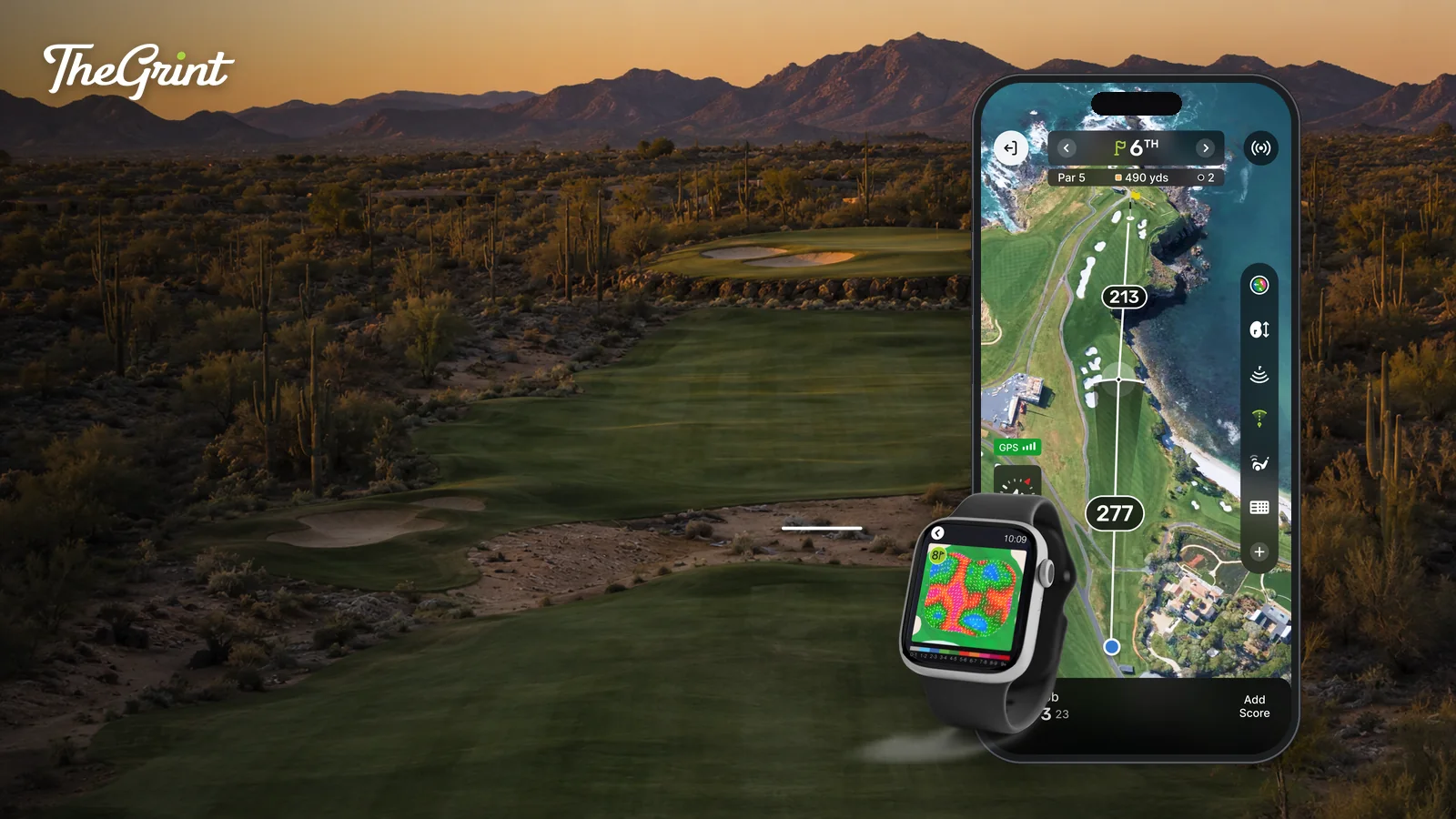
TheGrint is a golf GPS app that shows your front, center and back distances to the green on 40,000+ courses worldwide, with a map of every hole, distance arcs, manual shot tracking and scoring on the same screen. GPS maps and distances are Free on iPhone and Android, and you choose which widgets and tools appear.
This guide shows how to set up the GPS for a round, read your distances, customize the screen, track shots and scores without leaving the map, and use TheGrint GPS on Apple Watch and Wear OS, with what is Free and what is Pro at each step.
TheGrint has offered GPS course maps for more than 10 years, and the same screen now carries your scorecard, games and leaderboards.
GPS matters because every shot starts with two questions: how far is it, and what is in the way? A golf GPS app answers both before you pull a club, on courses you know and courses you have never seen.
You set up TheGrint GPS by starting a round from the Play button; the course, tees and players you choose there are what the GPS and scorecard use for every hole.
Before you tee off on an unfamiliar course, preview holes with the Course Flyover, a digital flyover of hole shape, hazards and landing areas, and read the public Hole Notes other Grinters have left for each hole.

TheGrint GPS shows a map of the hole you are on with your distances to the front, center and back of the green in a widget that stays on screen, and you open extra tools only when you need them.
For tee shots and layups, turn on Distance Arcs, which draw 100, 150, 200 and 250 yard arcs on the map so you can see what is in reach from where you stand. With Auto-zoom on, the map moves from the tee-shot view toward a closer approach view as you advance through the hole, without pinching to zoom.
Pro members can add Strategic GPS Points, a widget that shows substantially more distance markers than the standard view.
What makes TheGrint GPS different is that you decide what is on the screen: some golfers want only the map and green distances, others want every tool, and the GPS is built for both.
To customize it, tap the + button on the GPS toolbar. Widgets stay visible on the map, Tools open as needed, and GPS settings control how it behaves. Your setup is saved between rounds, and you can change it at any time.
If you want nothing but the map and your distances, clear the rest out. The tools stay one tap away for when you want to try them.
You track shots and scores from the GPS by opening the Shot Tracker and the score tracker as tools, so the map stays in front of you for the whole round.
Shot tracking is manual; TheGrint does not detect shots automatically. Forgot to start or stop the tracker? After the round, open the scorecard, tap Tracked Shots and edit or delete any shot. To turn tracked shots into shot distance stats, declare at least 14 clubs in My Bag. The phone Shot Tracker is Free.
Score tracking is built into the GPS, for you and up to three other players. Choose a mode:
Both modes are Free on the phone. Scores are golfer-entered, and any games or live leaderboards you set up update as you enter them, including Teams Cup competitions.
TheGrint GPS runs on Apple Watch Series 4 or later and on Wear OS watches, and GPS distances on the watch are Free. Scoring on the watch requires Pro.
On the watch, you start and finish a tracked shot without taking out your phone, and haptic reminders run while a tracked shot is active. Shots tracked on the watch can be reviewed and edited on the phone after the round. To enter first-putt distance from the watch, turn on Advanced Tracking in the round settings on your phone.
GPS maps and distances, the phone Shot Tracker and all phone score tracking are Free; Pro adds the premium GPS tools, unlimited Green Maps and scoring on the watch.
| Feature | Free | Pro |
|---|---|---|
| GPS maps and distances (phone) | Included | Included |
| Shot Tracker (phone, manual) | Included | Included |
| Score tracking on the phone, Basic and Advanced | Included | Included |
| Strategic GPS Points | Not included | Included |
| Target Dispersion | Not included | Included |
| Green Maps | 3 lifetime trial views | Unlimited |
| Auto-Open Green Map | Not included | Included |
| Watch GPS distances | Included | Included |
| Watch score tracking, Basic and Advanced | Not included | Included |
| Watch Shot Tracker | Not included | Included |
| Watch GPS Aerial Map and Watch Green Maps | Not included | Included |
| Connected Swingman rangefinder: front/center/back and relative pin position | Not included | Included |
A laser rangefinder gives you one exact number to whatever you aim at; TheGrint GPS gives you front, center and back distances to the green and a map of the hole without needing a line of sight.
You do not need to aim at anything or wait for a lock. GPS still works when trees block your line, when you are far from the green in the rough, and when you are playing a course for the first time. A laser is the better tool for an exact number to the flagstick; GPS is better for everything around it.
TheGrint GPS distances are not adjusted for slope, wind or elevation. If you want both tools, a Swingman rangefinder connected to TheGrint shows front, center and back green distances and relative pin location for Pro members, and the Swingman Autograph adds slope-adjusted laser yardages as a hardware feature.
Yes. GPS maps and front, center and back distances on 40,000+ courses are Free on iPhone and Android, along with the phone Shot Tracker, phone score tracking and GPS distances on a supported watch. A Pro Membership on TheGrint adds Strategic GPS Points, Target Dispersion, unlimited Green Maps and watch scoring and shot tracking.
Report it and TheGrint will review it. On the website, open Courses, choose "Can't find a Course?", then Edit A Course, search for the course and pick Edit Golf Course Info or Edit Scorecard. You can also email Courses@thegrint.com with the course name, location and what needs updating, plus a photo of a current scorecard if you have one.
Yes. TheGrint supports Apple Watch Series 4 or later, as well as Android watches running Wear OS. Watch GPS distances are Free. Score tracking, the Shot Tracker, the aerial hole map and Green Maps on the watch are part of a Pro Membership on TheGrint, and shots tracked on the watch can be edited later on the phone.
No. TheGrint GPS shows straight distances; it does not adjust them for slope, wind or elevation, and it does not recommend a club. Slope-adjusted yardages come from hardware: the Swingman Autograph rangefinder measures them with its laser, separately from the app's GPS distances.
No. The Shot Tracker is manual: you mark where a shot starts and where it finishes, on your phone or, with Pro, on a supported watch. TheGrint does not detect shots or putts on its own, and there are no club sensors. You can fix a missed or mistaken shot after the round from Tracked Shots on the scorecard.
Download TheGrint, start a round from Play, and you will have front, center and back distances on the first tee, with your scorecard, shot tracking and games on the same screen. The GPS is Free; add Pro when you want the extra tools. Get started with TheGrint.


